What Is Managed File Transfer (MFT)?
Managed file transfer refers to a class of client-server software that securely transfers information over unsecured networks such as the internet, supporting multiple protocols and proxies to protect both data in motion and data at rest.
Managed file transfer (MFT) software is relatively new. The threat landscape was very different in 1971 when the first file transfer protocol, FTP, was introduced. FTP was designed to simplify data transfers between network endpoints but does not provide encryption or other security features.
Numerous protocols such as SFTP, FTPS, AS2 and OFTP have since been defined, offering encryption with additional layers of data security such as key-based authentication and MDN receipts.
MFT software enables organizations to handle multiple secure protocols and provides management capabilities that aren’t available through traditional FTP servers, including automation capabilities that are critical to managing file transfers at scale.
Why Organizations Need MFT Software
Organizations have increasingly complex data exchange requirements, especially in industries that routinely handle sensitive customer information (including banking and finance, health care and insurance). In other cases, organizations have to send and receive invoices, reports, product orders or financial statements. These transfers happen both internally and externally, with trading partners often relying on different protocols.
Traditionally, organizations would provision an FTP server, an AS2 server and maybe as SFTP server to communicate with internal and external partners. However, managing high-volume transactions across a fragmented network is cumbersome and error-prone, lacking visibility and control.
MFT software enables users to handle any common protocol from a single server or environment, providing centralized control over all transfers.
Additionally, as reporting and compliance requirements shift, organizations need to be able to quickly respond. By providing better security, visibility and control, MFT software makes it easier for organizations to meet industry standards and data movement regulations such as GDPR, Sarbanes-Oxley (SOX), HIPAA and more.
Most importantly, MFT software can be used to automate file transfers and business processes. In many cases, MFT software provides drag-and-drop workflow designers, granular date/time scheduling and event-based triggers. The average company shares files with over 800 separate domains, according to research by Varonis, a cybersecurity firm. With so many transactions occurring daily, the only way to secure and manage at scale is through automation.
Managed File Transfer Features And Capabilities
Common management capabilities:
- Event triggers and date/time scheduling
- Direct integrations with common platforms or systems (IBM, AWS, Oracle, etc.)
- API integrations for applications
- Monitoring, alerting, reporting and analytics
- Parallel transfers
- High availability
- Self-service
Common security features:
- Support for SFTP, FTPS (Secure FTP), OFTP2, AS2 and HTTPS
- SSL/TLS and PGP encryption
- Proxy or DMZ servers to conceal IP addresses and ports
- Network scans for anonymous or unauthorized access points
- MDN notifications
- Audit trails
- Web tunneling
Benefits Of MFT Automation
File transfers carry sensitive data including PII for finance, healthcare and a variety of other industries. In many cases, that data is subject to external regulations such as GDPR, SOX, PCI DSS or HIPAA — not to mention internal rules. In order to stay compliant, avoid hefty fines and prevent data leaks, organizations need a way to manage their file transfers. Relying on basic FTP servers or custom scripts is too time-consuming and error-prone, making compliance and management difficult.
MFT helps simplify management and security by reducing the need for manual processes and responding to events in real time.
Benefits of automated file transfers include:
- Greater efficiency
- Improved reliability
- Fewer human errors
- Better productivity
- Reduced operational costs
- Real-time transfers for faster, more accurate data
Relying on manual solutions makes it difficult — and in many cases impossible — to scale your file transfer environment. Automation enables scalability.
Best Managed File Transfer Software
- ActiveBatch Workload Automation
- Redwood RunMyJobs
- JSCAPE MFT
- Globalscape Enhanced File Transfer
- Progress MOVEit
- HelpSystems GoAnywhere
- Accellion Kiteworks
- Coviant Diplomat
- Cornerstone
- Thru
- Stonebranch Workload Automation
- Cleo MFT
Managed File Transfer Comparison Overview
| Solution | About Solution | Designed For | Standout Feature | Deployment Options |
|---|---|---|---|---|
| ActiveBatch Workload Automation | Extensible workload automation and enterprise job scheduling | Managing files, processes and data between disparate endpoints | Super REST API Adapter that connects to any endpoint with a REST API | On-premises with the option to deploy cloud-based schedulers and execution servers |
| Redwood RunMyJobs | Reliable workload automation for hybrid IT and cloud-based workloads | Process orchestration for cloud-native applications and systems | Fully-hosted infrastructure through SaaS offering | SaaS or on-premises |
| JSCAPE MFT | Enterprise MFT solution for any protocol | Universal, platform-agnostic file transfers | Handle multiple protocols from a single server | On-premises or cloud-based |
| Globalscape Enhanced File Transfer | Comprehensive MFT with automation, collaboration and analysis | File transfers between Windows-based endpoints | Built-in regulatory compliance controls | On-premises or SaaS |
| Progress MOVEit | SaaS MFT software | Visibility and control for enterprise file transfers | Mulesoft iPaaS Integration | SaaS or on-premises |
| HelpSystems GoAnywhere | Enterprise secure file transfer solution | Unified file transfer management | User-to-user file sharing via collaboration features | On-premises, cloud-based or MFT-as-a-service |
| Accellion Kiteworks | Secure MFT solution | Reliable back-office file transfers | Comprehensive graphical dashboards | IaaS, Hyper-V on-premises or Accellion private cloud |
| Coviant Diplomat | Managed file transfer automation | Small, mid-size and enterprise | Multi-threaded implementation to improve job performance | Windows, Windows Server or Linux |
| Cornerstone MFT | Enterprise MFT server solution | High availability | Failover and load-balancing | On-premises, SaaS or hybrid |
| Thru | Cloud-based MFT | Consolidating file transfer solutions | On-premises | |
| Stonebranch Workload Automation | Workload automation for IT operations | On-prem, cloud-based or hybrid environments | Intelligent, event-based scheduling | SaaS or on-premises |
| Cleo MFT | File-based integration software | Multi-enterprise B2B transfers | Extreme scalability | On-premises, cloud-based or SaaS |
Best Managed File Transfer (MFT) Software
1. ActiveBatch Workload Automation [Top]

Overview
ActiveBatch Workload Automation is an extensible automation platform that enables users to orchestrate IT and business processes, including managed file transfers, data warehousing/ETL, ERP, CRM and much more.
ActiveBatch can be connected to virtually any endpoint using native integrations or ActiveBatch’s Super REST API Adapter. ActiveBatch provides dozens of features and capabilities out-of-the-box so that users can automate and orchestrate across functions.
ActiveBatch’s managed file transfer module makes it possible to consolidate and streamline enterprise file transfer processes whether on-premises, cloud-native or in hybrid environments.
Features
- Prebuilt connectors for common file operations such as MoveFile, CopyFile, For-Each-File, IfFile and more
- Schedule transfers using date/time calendars or event triggers or execute ad hoc
- Parallel transfers for greater efficiency
- Built-in checks to determine transfer outcomes for improved SLAs
- Handle SFTP, FTPS, OpenPGP and web tunneling with TSL/SSL encryption
- In-depth reporting and complete audit trails to meet compliance requirements
- Real-time monitoring for visibility into all file transfer activity and system performance
- Cascade changes or updates to hundreds or thousands of transfer workflows
- Native support for common databases, ERP, CRM, ordering and transaction systems and other major enterprise-level applications
- Workload balancing and intelligent infrastructure to meet high-volume demands in real-time
Pros
ActiveBatch makes it possible to manage enterprise transfers alongside other internal systems and applications so that it’s easy to incorporate transfers into both IT and business processes. This makes it possible to automate end-to-end file transfer workflows from a single location.
Cons
ActiveBatch does much more than just file transfers. It is a powerful workload automation and process orchestration platform instead of a lightweight MFT solution.
Visit staging.marketing.advsyscon.com to learn more about ActiveBatch pricing.
2. Redwood RunMyJobs [Top]

Overview
Redwood RunMyJobs is a fully hosted, cloud-native workload automation solution built on an event-driven architecture for real-time delivery of data, dependencies, files and more. Redwood was designed for end-to-end process management and orchestration, enabling users to assemble automated workflows that bridge silos and disparate use cases.
Redwood’s managed file transfer module provides broad capabilities for automating, managing and securing file transfers between disparate endpoints. Redwood is highly reliable, capable of handling large transaction volumes that manage sensitive business and finance data.
Features
- Handles SFTP, FTPS, SCP, HTTPS
- Compression to reduce bandwidth requirements for large files
- Secure browser-based administration, configuration and monitoring
- Create, import, and export SSH keys and SSL certificates
- Support local file systems, mapped drives, UNC paths and Amazon S3 Buckets
- Create folders and subfolders from variables and/or constants
- File integrity validation
- SLA management with alerts when transfers miss deadlines or are predicted to
- Highly flexible scheduling by the minute, hour, day week or month, with custom calendars
- Create event triggers based on uploads, downloads, failures and more
- Real-time monitoring, user and file activity logs, audit logs and analytical reports
Pros
Redwood RunMyJobs can be deployed in the cloud or on-premises and supports Windows, Linux, AIX, HPUX, macOS, OpenVMS and Solaris operating systems. As a result, RunMyJobs can handle file transfers in almost any environment, making this a highly flexible solution especially for finance departments.
Cons
Redwood RunMyJobs is designed to automate and orchestrate processes across IT, business and finance functions, and is ideally suited for managing enterprise automation strategies.
Visit www.Redwood.com to learn more RunMyJobs
3. JSCAPE MFT [Top]

Overview
JSCAPE is a platform-independent managed file transfer solution that is designed to simplify file transfers at the enterprise level. JSCAPE works with any operating system, can be deployed on-premises, in the cloud or in hybrid environments and can handle any file transfer protocol. This makes JSCAPE an ideal solution for managing a wide variety of transactions both internally and externally.
Additionally, JSCAPE is lightweight, offering a zero-install web client so users across the organization can be up and running within minutes. JSCAPE’s white-label file transfer client supports unlimited users, trading partners and concurrent connections. Take advantage of JSCAPE’s White Glove Onboarding and quarterly Health Checks to optimize ROI and expand your environment with the help of in-house experts.
Features
- JSCAPE Triggers for easy, no-code/low-code workflow automation
- Handle multiple protocols (SFTP, FTPS, HTTP/S, WebDAV and more) from a single server
- Connect to any on-premises or cloud-native platform using JSCAPE’s REST API
- Easily add DMZ proxy servers
- Load balancing and high-availability architecture for reliable high-volume transfers
- Load testing and network scanning to ensure SLAs even during heavy system load
- Ad hoc file sharing, drop zones and native Outlook integration
- Proprietary Accelerated File Transfer Protocol for faster transfers and reduce packet loss
- Create secure connections without opening ports
- Comprehensive auditing and audit trails for all user, administrative and transactional activity
Pros
JSCAPE makes it easy to connect to any endpoint and offers multiple layers of security, including reverse proxy servers. JSCAPE is a highly capable solution that can handle any file movement requirement at the enterprise level. This makes it possible for organizations to consolidate their file transfer solutions and manage all transactions and connections through a single platform.
Cons
Out-of-the-box reporting can be limited and can require additional licensing for analytics dashboards.
Visit www.JSCAPE.com to learn more.
4. Globalscape Enhanced File Transfer [Top]
Features
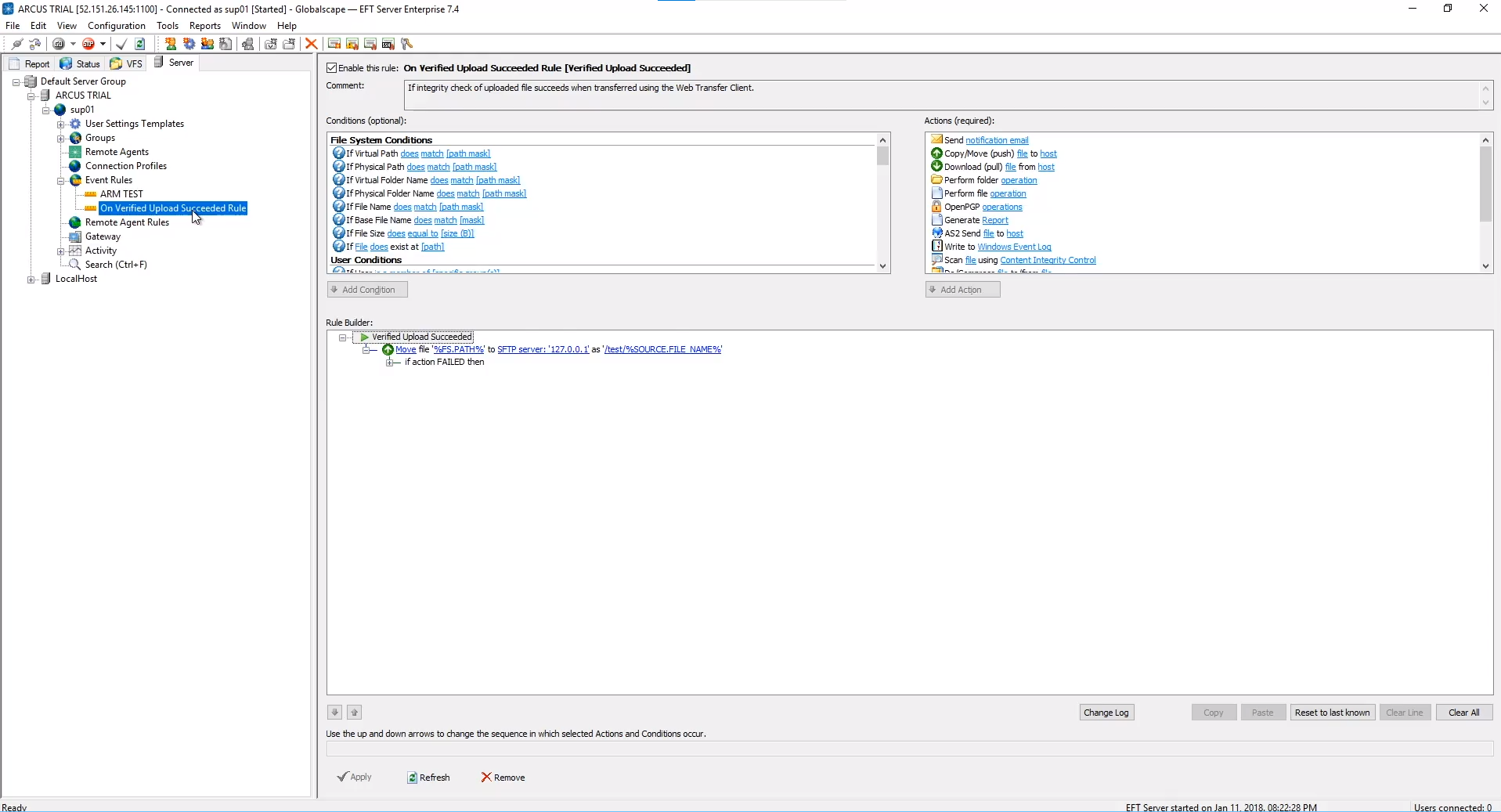
- Rules-based file transfer triggers with Folder Monitor for timely execution
- Native connections for Amazon S3 and Azure Blobs
- Auditing And Reporting Module to view, track and share data through reports
- SFTP Module with identity protecting, built-in data checking and logging
- Remote Agent Module for managing transfers in distributed systems
- High-availability through active-active deployment and load balancing
- DMZ gateways
- Easy integration of antivirus software and DLP tools
- Denial-of-service (DoS) prevention with temporary and permanent IP banning
- Web Transfer Client and Mobile Transfer Client provide secure, flexible access
Pros
Globalscape EFT is easy to set up and get started. Its intuitive dashboard provides real-time visibility to quickly address issues.
Cons
Limited functionality for creating reusable templates, adding to the time it takes to onboard trading partners and build automated workflows.
Visit www.globalscape.com to learn more.
5. Progress MOVEit [Top]
Features
- Encryption for at-rest (PGP) and in-motion data
- Easy-to-use security controls and audit trails for every transaction
- Low-code/no-code workflow automation
- Execute ad hoc transfers through Microsoft Outlook or a web browser
- Free mobile app for managing transfers through iOS and Android devices
- Secure Folder Sharing for easy collaboration without additional software
- DMZ proxy servers to secure data behind firewalls
- Neverfail Failover Manager ensures zero downtime
- Multi-tenancy for flexibility
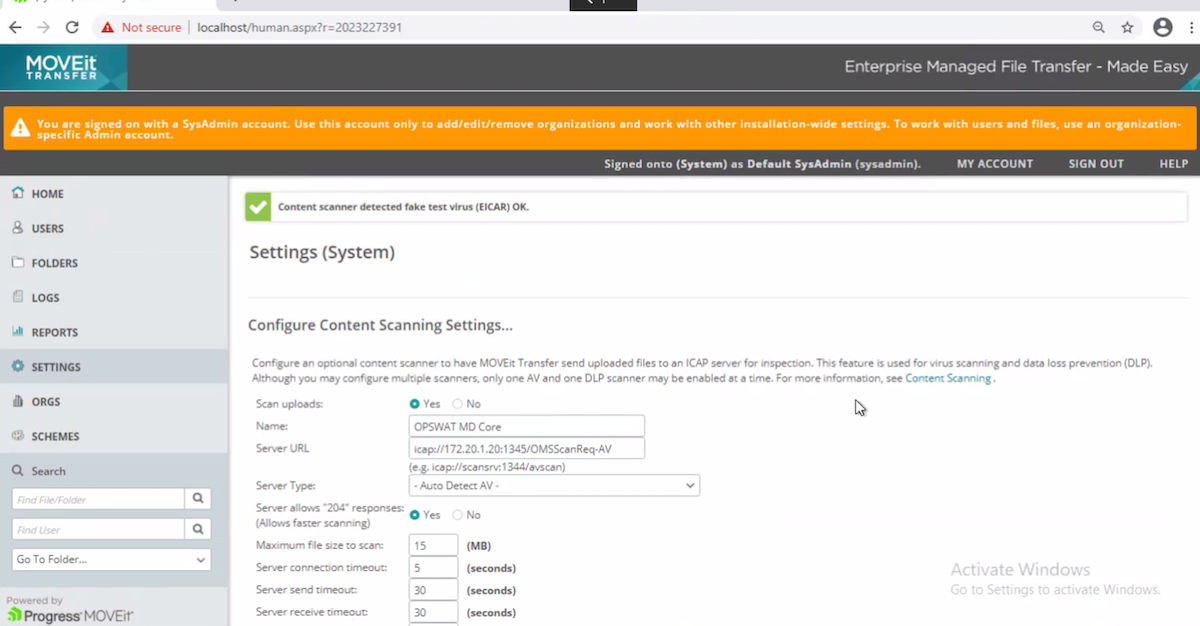
- File integrity scans and tamper-evident logging
Pros
Progress MOVEit can be deployed on-premises or as infrastructure-as-service (IaaS) or software-as-a-service (SaaS). Users can integrate almost any system using Mulesoft Connector or APIs, making MOVEit a flexible solution for automating transfers between disparate environments.
Cons
Cost can be high compared to other MFT solutions that offer similar features and capabilities.
Visit www.progress.com to learn more.
6. HelpSystems GoAnywhere [Top]

Features
- Detailed audit trails
- Can process information into XML, EDI, CSV and JSON databases
- Load-balance processes across multiple systems via clustering
- Schedule workflows or enable triggers based on folder events
- Email and SMS notifications for completed and failed jobs
- Support for SFTP, SCP, FTPS, AS2, HTTPS and OpenPGP encryption
- Customizable dashboard with drag-and-drop controls
- Connect to wide variety of servers
- Translate data, import/export to databases, replicate records and perform ETL
Pros
GoAnywhere is a versatile solution that can be used for ETL and batch processing as well as MFT.
Cons
The GoAnywhere dashboard can be hard to use at times, especially when scheduling transfers and other workflows.
Visit www.goanywhere.com to learn more.
7. Accellion Kiteworks [Top]

Features
- Drag-and-drop workflow designer
- Trigger transfers using date/time scheduling, events or polling
- Create custom nodes in JSON and import/export workflows in YAML
- Provide access to data in folders, file shares, repositories and cloud storage
- Huge library with over 2000 prebuilt connectors and workflow functions
- Minimize attack surface by enclosing all system components within a virtual application
- Intrusion detection system notifies users of suspicious activity
- Workflow-level access controls, role-based permissions and data access policies
- Single standardized log repository for all transactions
- Easily create custom dashboards and reports
Pros
Kiteworks is a highly secure MFT solution that undergoes regular penetration testing and has a worldwide bounty program to discover bugs before they’re exploited. Plus, Kiteworks makes patching easy with one-button updates for all system components.
Cons
Kiteworks can have slow performance issues, often as a result of files or information being stored within cloud-based databases. Such issues can become more pronounced when accessing or managing large files.
Visit www.kiteworks.com to learn more.
8. Coviant Diplomat [Top]

Features
- Intuitive point-and-click interface
- Use multiple disparate source file sets for each transaction
- Transfer files in batches based on event triggers
- Save source, destination and PGP keys to create multiple transfer jobs
- Build automated workflows that incorporate pre- and post-transfer tasks
- Incorporate commands using Diplomat’s MFT Scripting Agent
- Passwords, pass-phrases and other sensitive information are only decrypted at runtime
- Real-time visibility for all transfers including job history, file history and log files
- Two-factor authentication to prevent unauthorized access
- Automatic restarts, checkpoint restarts and file integrity checks
Pros
Coviant Diplomat is easy to install and provides a wide range of out-of-the-box features so you can be up and running without additional licensing.
Cons
Coviant Diplomat does not include a web interface meaning the client will need to be installed on different machines for more users to access.
Visit www.coviantsoftware.com to learn more.
9. Cornerstone [Top]
Features
- Manage inbound ports with DMZedge for additional security
- Cluster servers for failover in case of hardware failure
- Leverage active/active or active/passive configurations
- Use load balancing to distribute workloads and support high throughput
- Dropzones for receiving external files without creating new user accounts
- Automatically detect and shut down denial of service attacks
- Scan files for malware in a secure quarantine area
- Run scripts and custom applications to automate workflows
- Streaming disk encryption prevents unencrypted files from being written to server
- Use WebDrive’s Advanced Endpoint Protection to reduce the risk of malware
Pros
Cornerstone offers a broad range of functionality and is available in the Azure marketplace.
Cons
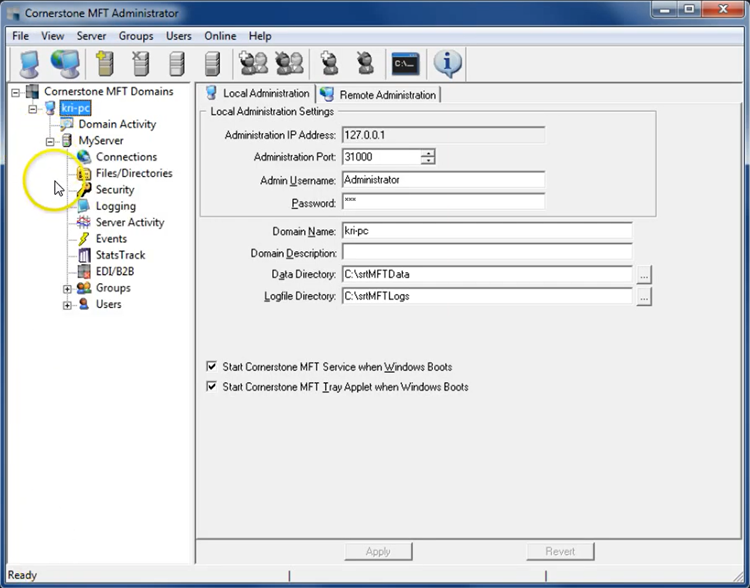
User interface can feel dated at times and can be slow to respond to user actions.
Visit www.southrivertech.com to learn more.
10. Thru [Top]

Features
- Automated file compression, PGP encryption, renaming and routing
- Auto-scaling and high availability
- Native integration with enterprise integration platforms
- Antivirus scanning
- Active Directory integration
- Audit trail for system and user actions
- Support for SFTP, FTPS, HTTPS, Amazon S3 and Azure Blob
- Alerts available for all transaction exceptions or inactivity
- Integration for security information and event management (SIEM) solutions
- Self-service portals for business users
Pros
Thru is available as a service, meaning users have zero deployment or maintenance responsibilities and automatic upgrades for new features.
Cons
Thru doesn’t support data transformations as some other MFT and workload automation solutions do.
Visit www.thruinc.com to learn more.
11. Stonebranch Workload Automation [Top]
Features
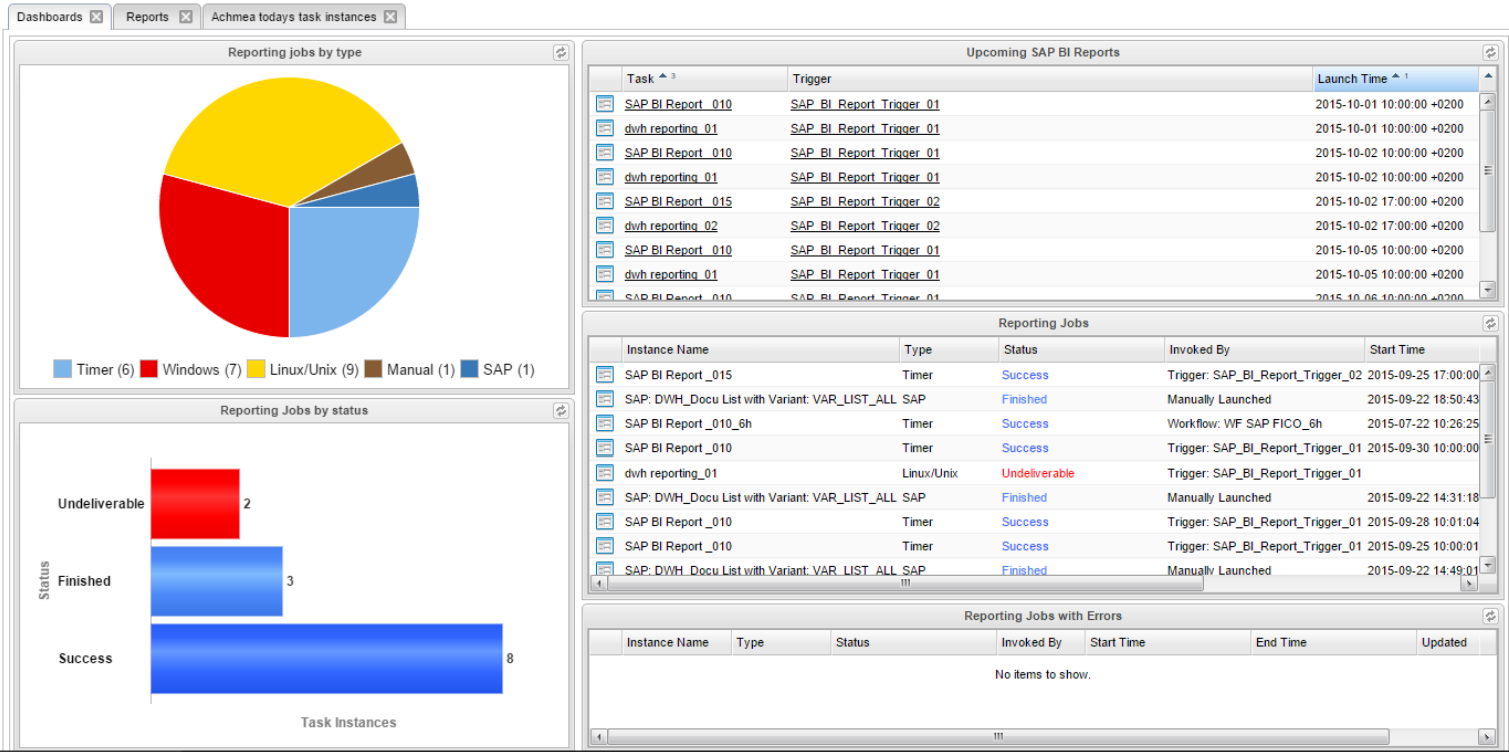
- Drag-and-drop workflow designer and event triggers
- Handles FTP/S, SFTP, SCP, HTTP/S, WebDAV and AFTP
- Proprietary UDM protocol provides compaction, encryption, certificate exchange and fault tolerance
- Enhanced scripting capabilities to support more definitions and logic
- Real-time embedded analytics
- Full audit trails and fast recalls for all file transfer operations
- Easily connect to containers or deploy agents in containers
- Support for LDAP, AD and SAML
- Virus protection for inbound and outbound transfers
- Unlimited third-party integrations using prebuilt connectors, custom scripts or open-source marketplace
Pros
Stonebranch makes it easy to orchestrate scripts, jobs, tasks and IT processes across disparate environments so users can incorporate file transfers into any enterprise workflow.
Cons
Outdated user interface can be difficult to learn.
Visit www.stonebranch.com to learn more.
12. Cleo MFT [Top]

Features
- Platform APIs to assemble automated transfer workflows
- Supports large data volumes up to one million files per hour
- Use clusters without a database to provide failover and high availability
- File tracking, alerting, notifications and content filtering for quick visibility
- Support for over 20 protocols
- Built-in certificate and encryption management
- Antivirus and content scanning via ICAP
- Perimeter layer security and bidirectional proxy architecture
- Create containerized extensions and deploy agent templates
Pros
Cleo can be used to manage your entire file transfer environment through APIs and EDI capabilities.
Cons
Steep learning curve can require subject matter experts to handle management and administration.
Visit www.cleo.com to learn more.